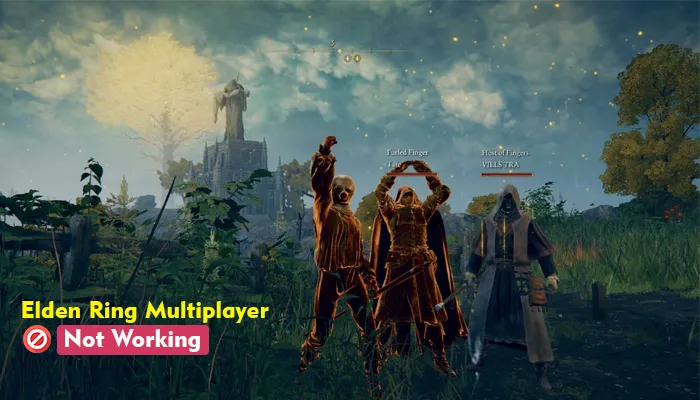
Possible Fixes For Solving The Elden Ring Multiplayer Problem
There are multiple users of the Elden Ring multiplayer. In some circumstances, the “multiplayer not working Elden Ring” problem may occur due to a lack of Internet connectivity. If your Elden Ring multiplayer is not working today, then you should check whether your Internet connection is good when you face the issue. You can try rebooting your Wi-Fi router to ensure you have a stable Internet connection.
If the problem persists, no worries, we have got you covered; this article will provide you with procedures for resolving the Elden Ring multiplayer problem.
Possible Fixes For Solving The Elden Ring Multiplayer Problem
Below are the six possible fixes by which you can solve the Elden Ring multiplayer problem without any hassle.
- Optimize Elden Ring’s network settings.
- Enable auto-updates of Elden Ring.
- Check the game file integrity.
- Update your network drivers.
- Repair system files.
- Update Windows.
DLC-Specific Issues: Shadow of the Erdtree
The Shadow of the Erdtree expansion introduced a required update, and multiplayer errors can happen when the game, DLC, or calibration version is not fully updated. Around the DLC launch, FromSoftware also released calibration updates that were applied by logging into the multiplayer server, so version mismatch can block online play until the latest update is installed.
If you installed the DLC but still cannot use multiplayer, first confirm that Elden Ring is fully updated, the DLC is installed correctly, and your platform account recognizes the expansion. On PC, check your launcher for the current game version and update status; on console, make sure the game and DLC are both installed from the store or library.
If you see an “Inappropriate activity detected” message, verify the game files and repair the anti-cheat files before trying again, because this error was reported after DLC-era updates and was commonly resolved by file verification.
Instruction 1: Verify The Elden Ring Server Status
When the Elden Ring multiplayer server is under maintenance, you cannot use it. So before you proceed to solve the problem, you can verify the server status first. You must visit the official Elden Ring or Bandai Namco channels to check if they declare server maintenance. If there is an announcement about server maintenance, you must wait until the server status becomes normal.
Instruction 2: Check Network Connectivity
You must check the Internet connectivity to use the Elden Ring multiplayer. So, to get online, you must have a strong Internet connection. So when your Elden Ring multiplayer does not work, you can verify your Internet connection and test your Internet speed.
Now, type test Internet speed in your browser, and then check the outcome to run a speed test. If your Internet speed is slow, you can try restarting your router or call your ISP.
Procedure 1: Optimize Elden Ring’s Network Settings
If your Elden Ring’s network is not set correctly, then your Elden Ring multiplayer cannot work anyway. To get to the solution, you need to check the Elden Ring network settings and optimize it.
- Initially, open the game menu and then tap on System.
- Now, hit the Network tab on the top, and it will be redirected to the network settings panel.
- Then, tap on the Launch Setting and press the arrow behind Launch Setting to choose Play Online.
You can verify whether it works once you optimize the Elden Ring’s network settings. If the problem persists, you can proceed to another method. If your firewall, antivirus, or NAT type is too strict, allow Elden Ring and its anti-cheat files through the network first.
Procedure 2: Enable Auto-Updates Of Elden Ring
Elden Ring updates can optimize game performance and provide a better gaming experience. Most Elden Ring users have suggested that updating the game is a way to resolve the Elden Ring error. Therefore, you can update your Elden Ring when it does not work correctly. You need to follow the prompts below to update your Elden Ring:
- Firstly, start Steam on your PC and press the Library tab. A list of games installed will be visible on the left panel of your Steam. Then, navigate through the page to find ELDEN RING.
- Then, right-click ELDEN RING and choose Properties.
- After that, hit the Updates tab on the left side of the panel.
- Finally, tap on Keep this game updated under Automatic Updates. Whenever you find an update, Steam will update the game automatically.
On consoles, make sure the game and DLC are both installed from the platform store, because a missing expansion install can also stop multiplayer from working correctly.
Upon enabling the auto updates of Elden Ring, you can check whether your Elden Ring multiplayer works. If it does not work, you must follow the next procedure.
Procedure 3: Check The Game File Integrity
If the Elden Ring game files are missing or outdated, the game may show random errors and not work correctly. To find a solution to this problem, you can check the integrity of the Elden Ring game files on Steam. Follow the prompts below to start the verification process:
- Start Steam on your computer and hit the Library tab. Then, you will see a list of installed games on your Steam’s left panel and ELDEN RING.
- Now, right-click ELDEN RING and choose Properties.
- After that, tap on Installed Files and choose Verify integrity of game files.
- Steam will now check the game files. It may take some time. When the process gets accomplished, hit the close button.
Upon validating Steam files, verify whether your Elden Ring multiplayer works. If you are using a different launcher, use that platform’s repair or verify option before trying again. If you see an anti-cheat error, repair the anti-cheat files as well.
Procedure 4: Update Your Network Drivers
With the help of network drivers, your computer can be connected to the network. If your network driver needs to be updated, your network connectivity may become poor and thus hamper your gaming experience. When you find Elden Ring multiplayer not working, you can update your network drivers to the updated version.
Here are two alternatives to update your network drivers.
Option 1: Manually download and install the driver
Option 1 allows you to update your network drivers manually by visiting the manufacturer’s website and looking for the latest correct driver. However, in this process, you need to devote your time and effort to it.
Option 2: Try automatically updating your driver
If you need more time, patience, or computer skills to update your network drivers manually, you can try doing it through Windows Device Manager or the manufacturer’s official updater.
Thus, you can update your drivers with the help of Windows Update or the official driver source. Prefer the official driver page of your network adapter whenever possible.
Once you are done updating your Elden Ring multiplayer, check if it is working; if not, you need to try using the following method.
Procedure 5: Repair System Files
Elden Ring mistakes will likely be created if the system files are found missing or outdated. If you find out that your Elden Ring multiplayer is not working, you can try repairing the corrupted or obsolete system files using built-in Windows repair commands.
- Firstly, open Command Prompt as administrator.
- Then, run sfc /scannow.
- If the issue continues, run DISM /Online /Cleanup-Image /RestoreHealth.
- Restart your computer and check the game again.
Upon repairing the system files, you must check whether the multiplayer works correctly. If it still does not work, move on to the next step.
Procedure 6: Update Windows
An outdated operating system might have underlying issues, including the Elden Ring multiplayer not working. Suppose you have tried the above methods, but the problem persists. Then, you can update your Windows system.
Windows 10:
- Click the Windows logo on your keyboard, and I key simultaneously to open Settings.
- Tap on the Update and Security from the menu instructions.
- Press on Check for updates under Windows Update. Windows will now automatically download and install the available updates.
- Once you have installed the updates, you need to restart your computer and launch Elden Ring multiplayer. Then, check whether the Elden Ring multiplayer problem has been solved.
Windows 11:
- On your keyboard, tap the Windows logo key. Then, type check for updates. Then click Check for updates from the searched results.
- Now, tap on the Check for updates button.
When you find updates available on the screen, then follow the instructions provided on the screen to download and install them.
Conclusion
You might now have read this informative blog and have known the various possibilities of resolving the Elden Ring multiplayer game errors. If you are still confronting problems regarding the same, you can contact the official game support or your platform support team through their official website. Do not share your account password with anyone who claims to provide support.
Read Related Articles!
- Is Elden Ring Controller Not Working? 7 Ways to Repair It
- Elden Ring Infinite Loading Screen Fix for RTX 5080 / 5090 & RX 8000 — The 2026 Ray Tracing Patch
- [RESOLVED!] Elden Ring Mausoleum Not Working Issue
- Troubled Over Elden Ring Crashing? Use These Fixes Now!
- 10 Proven Fixes for the Elden Ring Connection Error
Why isn’t my multiplayer working on Elden Ring?
Elden Ring multiplayer may not work because of server maintenance, weak Internet, strict NAT or firewall settings, outdated game files, or a version mismatch after Shadow of the Erdtree updates. Check the server status, verify your connection, and make sure the game and DLC are fully updated.
Why can’t I join my friend in Elden Ring?
You may not be able to join your friend if multiplayer is not set to Play Online, the password does not match, the summon sign is not placed correctly, or the area boss has already been defeated. Also make sure both players are using the same game version and the latest DLC patch if Shadow of the Erdtree is installed.
How do you get Elden Ring multiplayer to work?
Open the game menu, go to System, open the Network tab, set Launch Setting to Play Online, enable matchmaking options, and accept the Data Usage Agreement if needed. Then use the correct password, place or use the summon sign, and confirm both players are on the same version.
Why can I not summon multiplayer in Elden Ring?
Summoning can fail if your connection is unstable, the game is not updated, firewall or NAT settings are blocking multiplayer, or the host area boss is already dead. If you see an anti-cheat error, verify the game files and repair the anti-cheat files before trying again.
References or Source Links